-
-
- Posts: 2
- Joined: 2025-09-15 15:29
Hi
I am new to luckfox and buildroot , i was trying to add some libraries to the luckfox pic max buildroot image, i managed to add some but i couldn't make zram works,
1- zramctl is already marked inside the util-linux
2- i also did this overlay in the photo attached
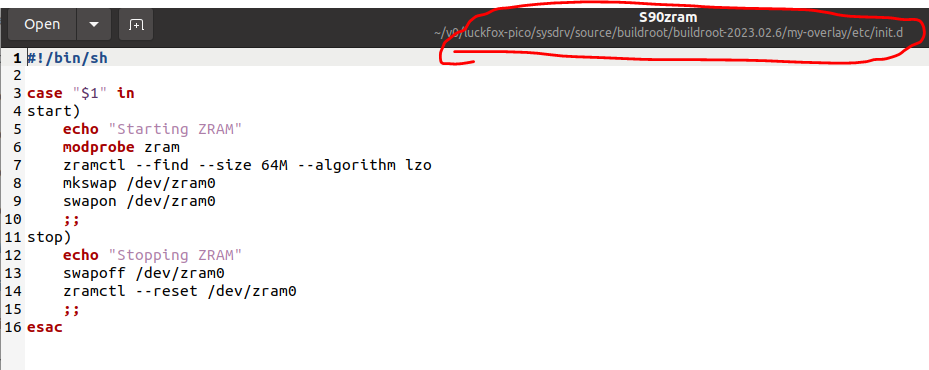
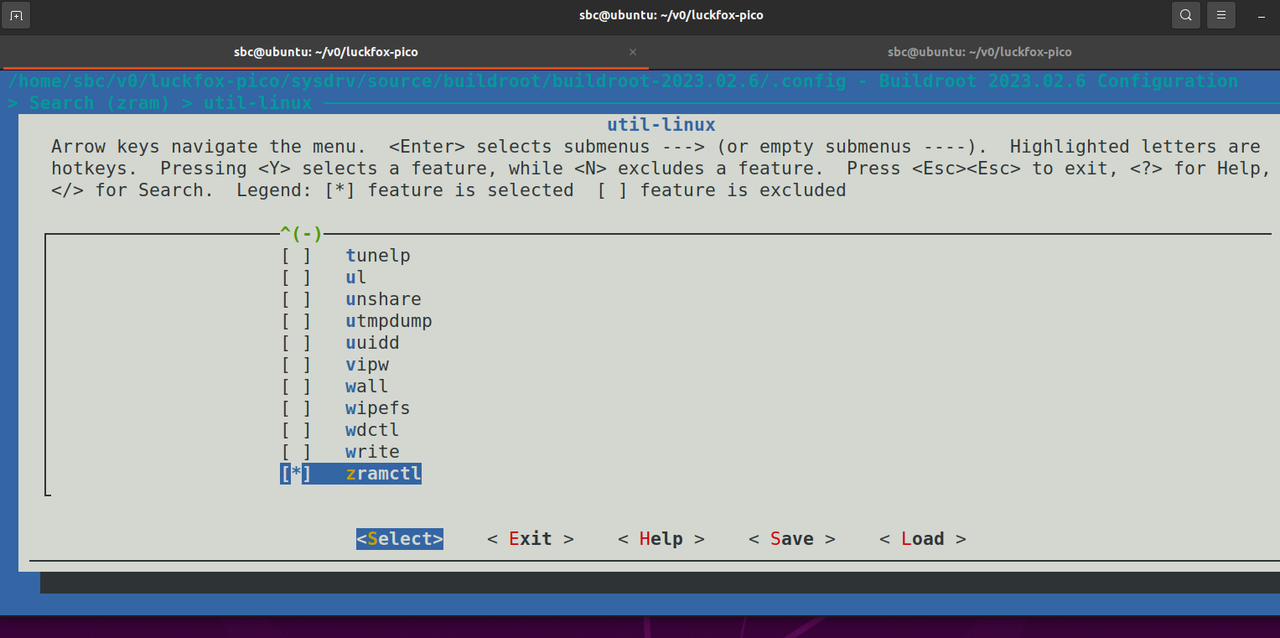
what else i can do, if you please guide me to something to make it work with some nice steps as i am new to this
many thanks,
-
- Posts: 2038
- Joined: 2024-01-23 7:21
Hello, for Luckfox Pico, the default setting does not support loading kernel modules using modprobe. It is recommended that you directly use insmod to load the modules. It would be best to ensure that each command runs correctly before considering writing or modifying the startup script S90zram
-
- Posts: 2
- Joined: 2025-09-15 15:29
Crocodile wrote: ↑2025-09-20 10:12
Hello, for Luckfox Pico, the default setting does not support loading kernel modules using modprobe. It is recommended that you directly use insmod to load the modules. It would be best to ensure that each command runs correctly before considering writing or modifying the startup script S90zram
thanks for this,
I found another script on gemini that says it resolves this matter of modprobe and insmod
Code: Select all
#!/bin/sh

case "$1" in

    start)

        echo "Enabling zram..."

        # Get total system memory in KB

        TOTAL_MEM_KB=$(awk '/MemTotal/ {print $2}' /proc/meminfo)

        # Allocate 50% of memory to zram

        ZRAM_SIZE_KB=$(( TOTAL_MEM_KB / 2 ))

        modprobe zram

        echo $ZRAM_SIZE_KB > /sys/block/zram0/disksize

        mkswap /dev/zram0

        swapon /dev/zram0

        echo "zram enabled with size $(( ZRAM_SIZE_KB / 1024 ))MB"

        ;;

    stop)

        echo "Disabling zram..."

        swapoff /dev/zram0

        echo 1 > /sys/block/zram0/reset

        modprobe -r zram
        ;;
    *)

        echo "Usage: $0 {start|stop}"

        exit 1

        ;;

esac
it says echo 1 > /sys/block/zram0/disksize, directly communicates with the kernel instead of relying on external tools.
so what do you think about it ? I tried it and it seems to work but I don't know if it is ok or not to run it like this ?
thanks

